

Give Trinity the job.
The assistant in the TEAMON3 app. It prepares the work, and you confirm every change.
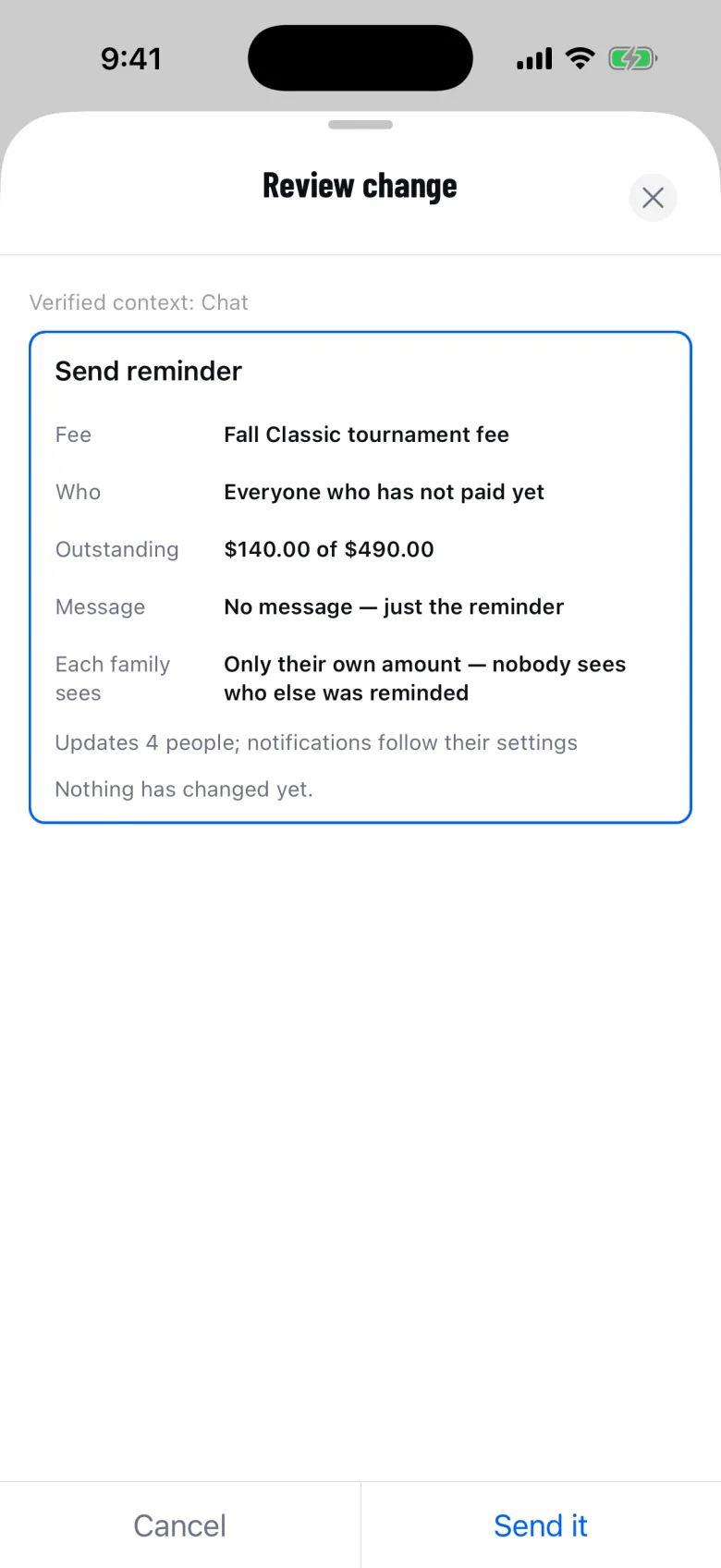
A fee reminder, waiting for you to confirm.
Coach. Parent. Adult player.
Three people, one Trinity. Tap through the phone, or let it play.
- Coach. Sends a reviewed fee reminder to the four families who owe, then readies the team for Saturday, one confirmed card at a time.
- Parent. Asks when the next game is, then reviews the full tournament fee and opens the app’s payment sheet.
- Adult player. A player of 18 asks about the next game and marks themselves going. Nobody is notified.
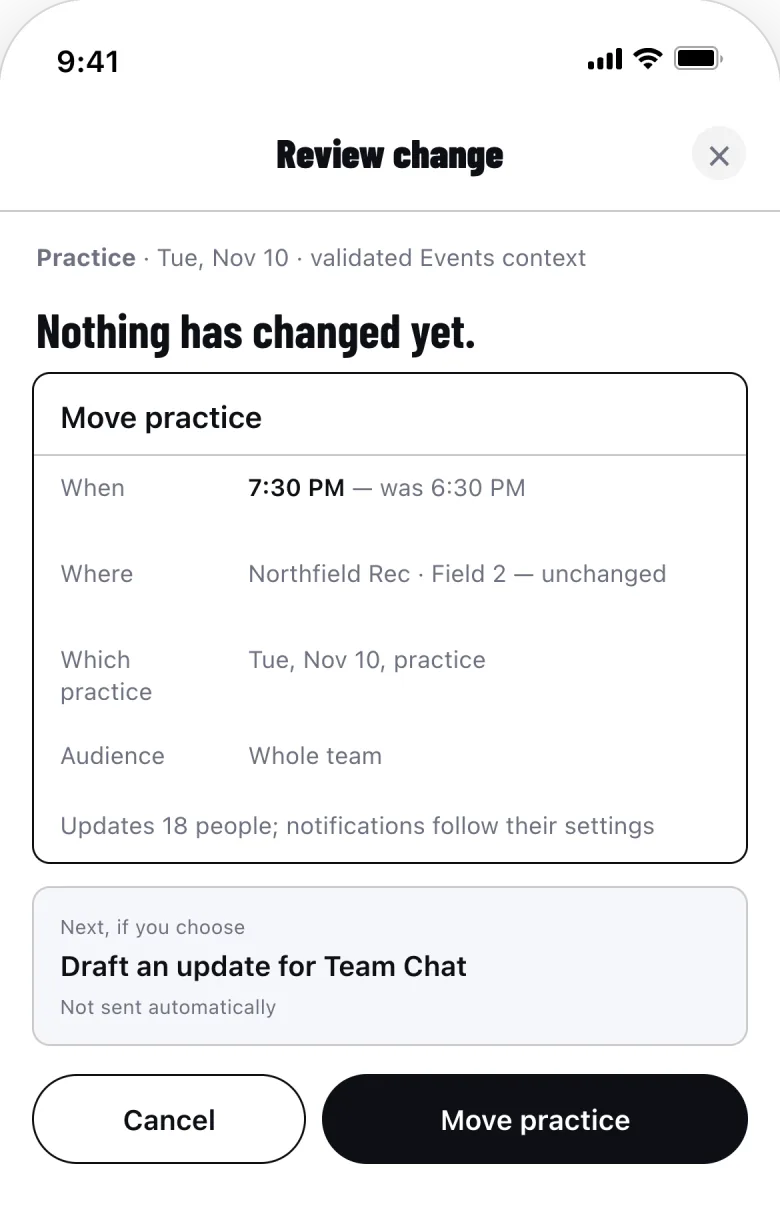
The card you confirm.
Here, moving a practice. Nothing changes until you tap Move practice.
How it works.
-
Ask.
Give Trinity a job in your own words.
-
Review.
It prepares one card: what changes, and for whom.
-
Confirm.
Nothing changes until you confirm. A receipt records it.
Trinity is AI and can make mistakes. Team changes require your confirmation. Safety concerns may be shared with the platform safety team.
What Trinity can do.
Ask in your own words. It reads only what you can see.
- Get the team ready for Saturday
- Move, add or cancel an event
- Remind only the families who owe
- Find what the coach said to bring
- Mark your player as going
- Prepare a fee for you to pay
Trinity comes with Team, and Early Team includes it. Each pass carries a usage allowance, and the app shows what’s left.
Questions.
Who can use Trinity?
The adults on a team: coaches, parents and guardians, and players 18 or older with their own account. Each has the permissions they already have, inside one team at a time.
Does Trinity act on its own?
No. It only proposes. The person who asked confirms each card, access is checked again, and a receipt records the change. For a fee, you pay in the app’s payment sheet.
Can it see other families’ payments or messages?
Only if you can. Trinity runs the same permission checks as the app. A guardian sees their own player’s fees and the team channels they are in.
Where do its answers come from?
Your team’s records, read when you ask. Chips under each answer name the records, and in the app they open them.
What if it gets something wrong?
Trinity is AI and can make mistakes. Nothing runs until you read the card: cancel it, ask for a change or stop. Anything that ran has a receipt.
Where will I find Trinity?
In the TEAMON3 app on iPhone, iPad and Android: the Ask Trinity button beside the tab bar on iPhone, a docked button on Android. It is not part of the web app.
Trinity prepares. You make the call.
It reads only what you can see and waits for your confirmation. Team includes it.