

Post once. Know who’s coming.
Events, Team Chat, volunteers, fees and the roster, for coaches and team managers. Every account is an adult’s.

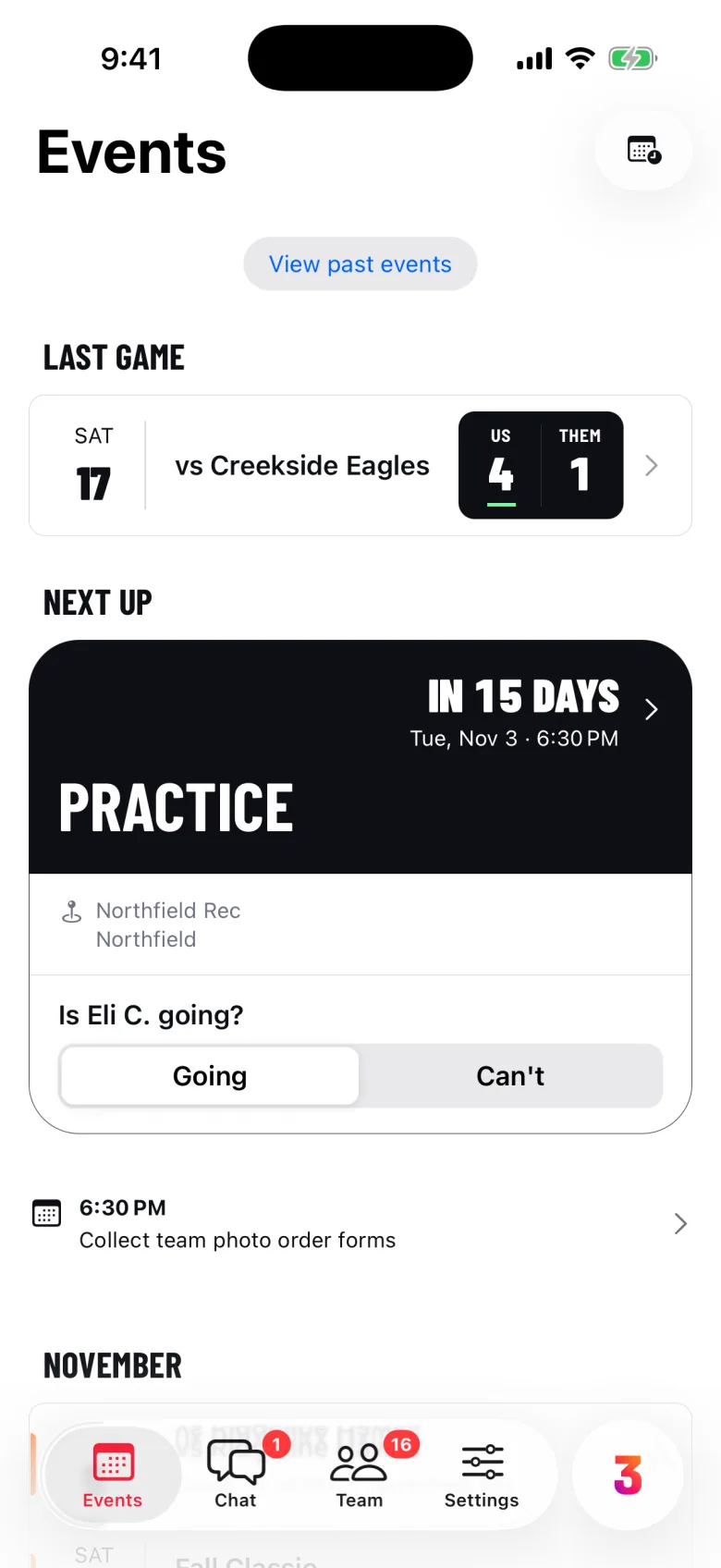
A coach’s week with the sample team
A sample week with the Falcons 14U.
Post the week once.
Practices, games and tournaments, with reminders families don’t have to ask for.
- Repeat it, skip a date, cancel
- Reminders and the venue forecast
- Add to Apple or Google Calendar
Know who’s coming.
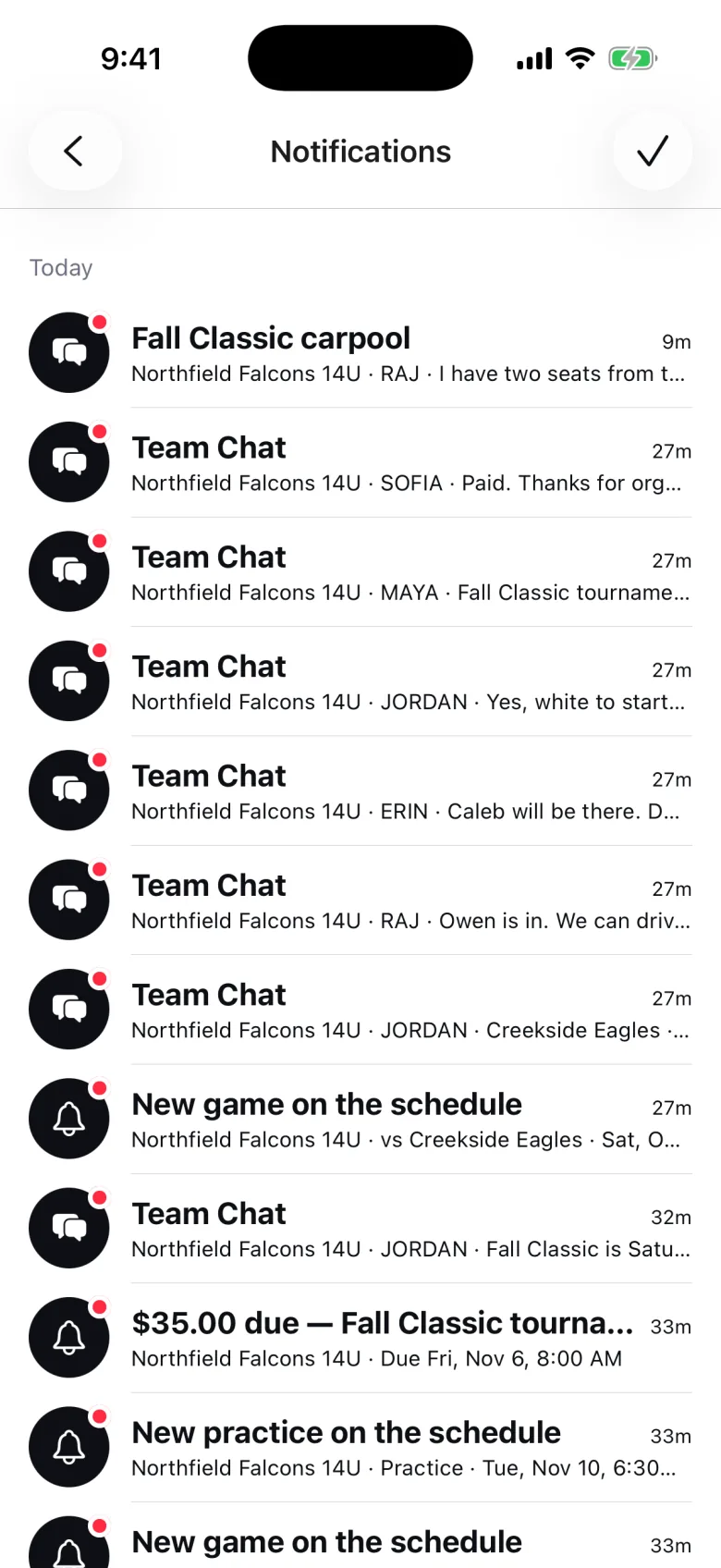
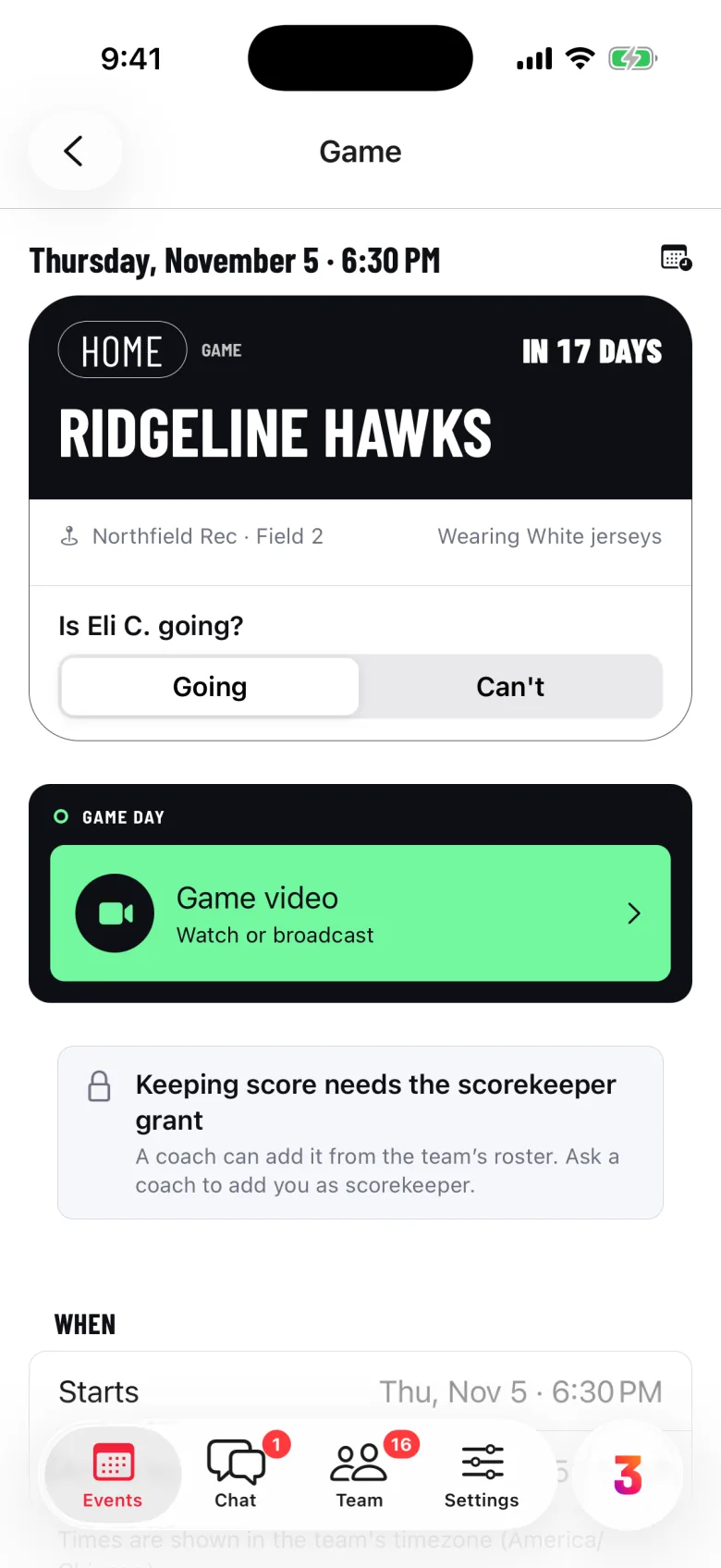
Every event asks Going or Can’t. You know who to follow up with.
11 going · 1 not going · 2 no reply
- Guardians answer for their player
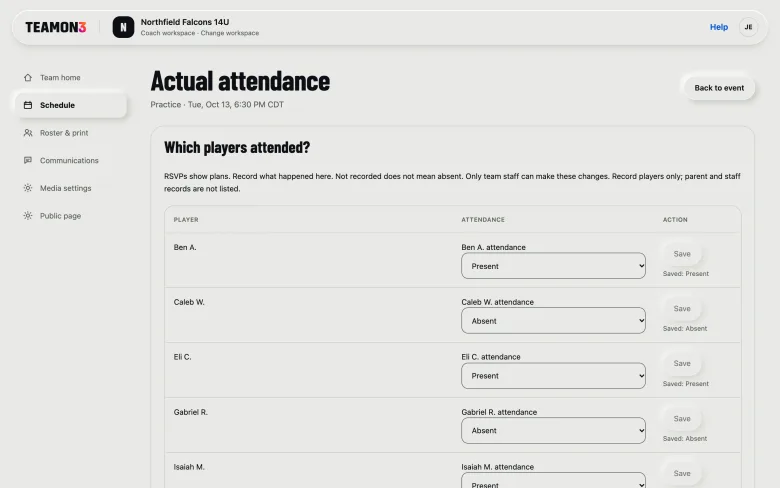
- Staff see the Availability list
- Attendance, Present or Absent, on the web
Say it once.
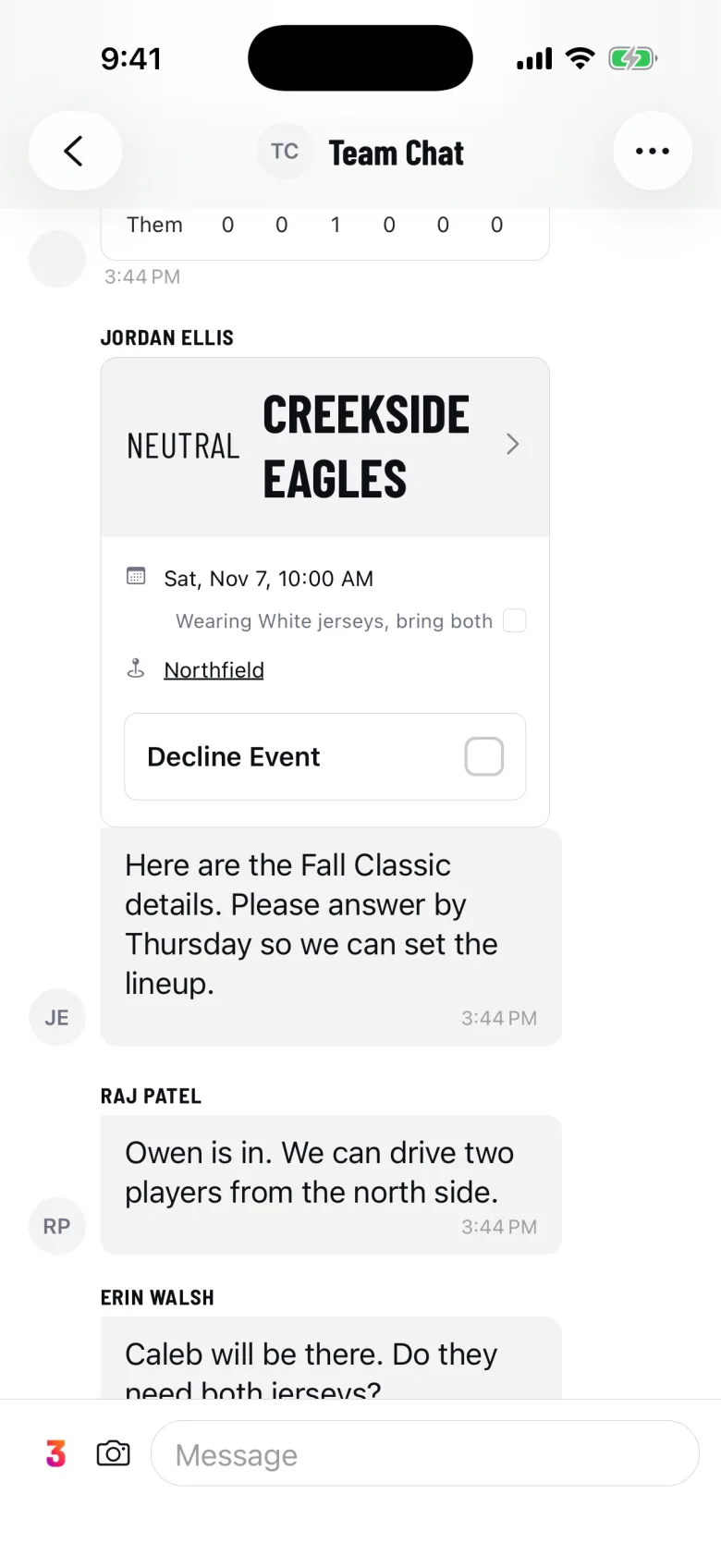
Post in Team Chat, where every family already looks.
- Events, fees and tasks as cards
- A channel for every group
- Guardians read their player’s channels
Every volunteer job, covered.
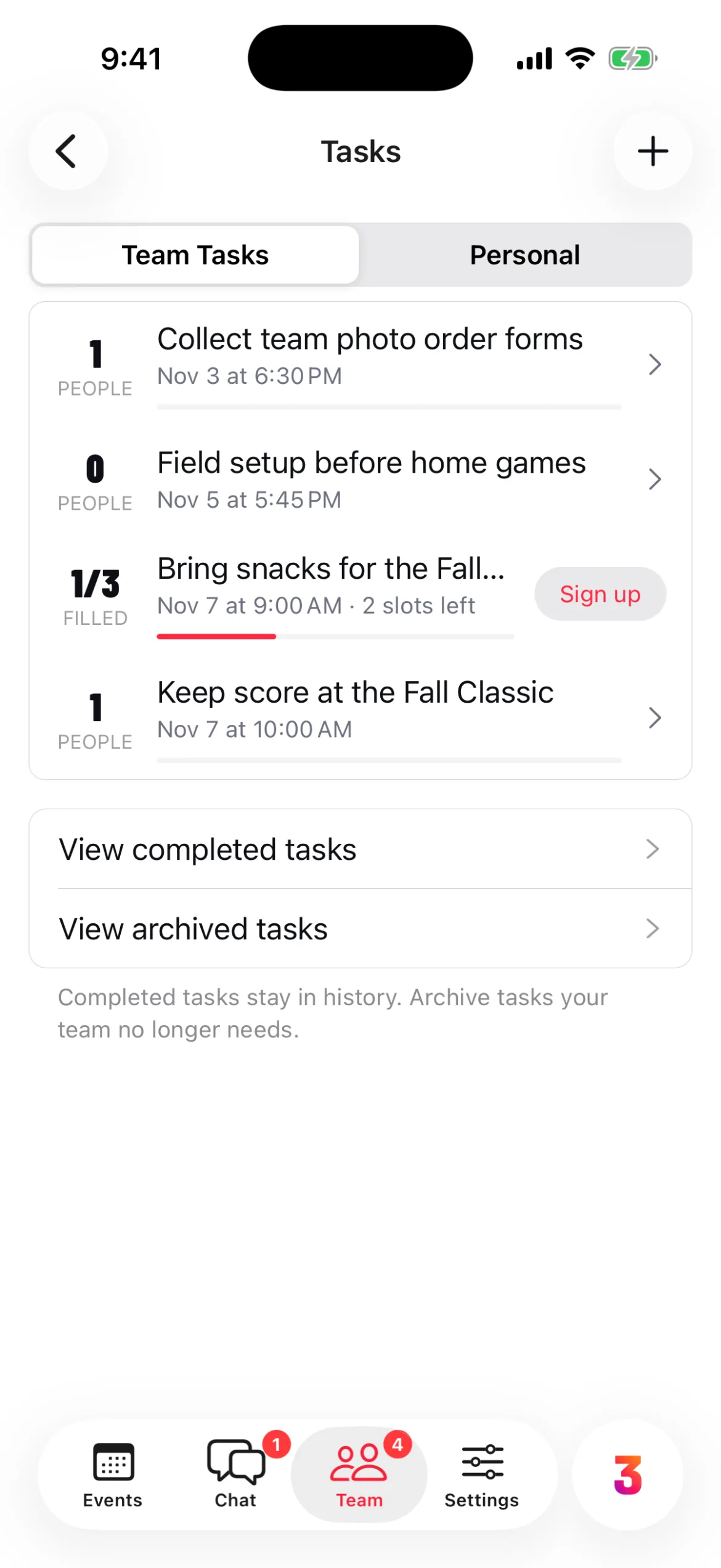
Snacks, scorekeeping, field setup. Post each job once and families sign up.
- Volunteer slots become a sign-up sheet
- Rotations show who’s next up
- Repeat with every game or practice
Collect fees without chasing.
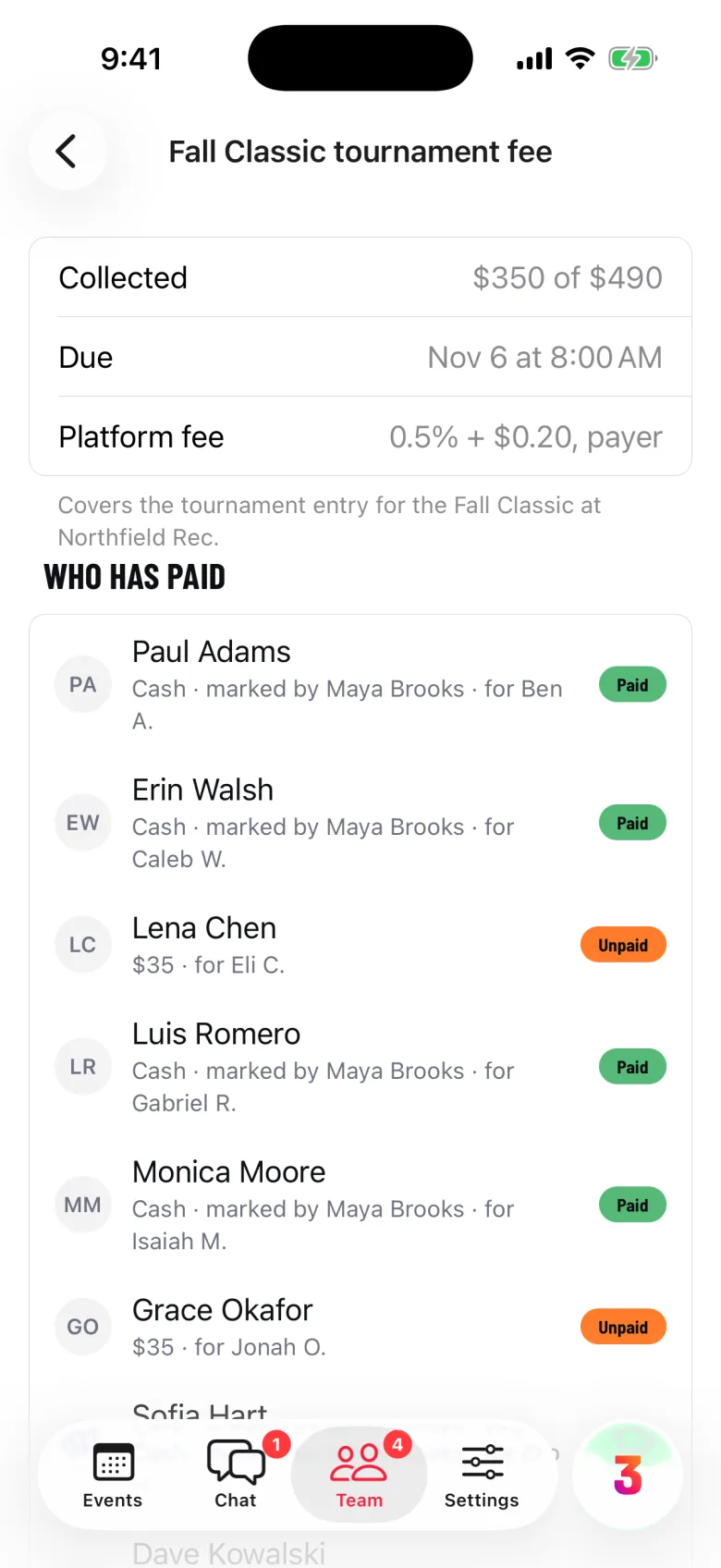
Ask once, see who has paid, and remind only those who haven’t.
- Payment plans for big fees
- Mark cash paid, refund, export CSV
- Payouts to the team’s bank
One $35 fee, by card
- Tournament fee
- $35.00
- TEAMON3 fee, 0.5% + $0.20
- $0.38
- Card processing
- $1.37
- The family pays
- $36.75
- The team receives
- $35.00
Run the roster.
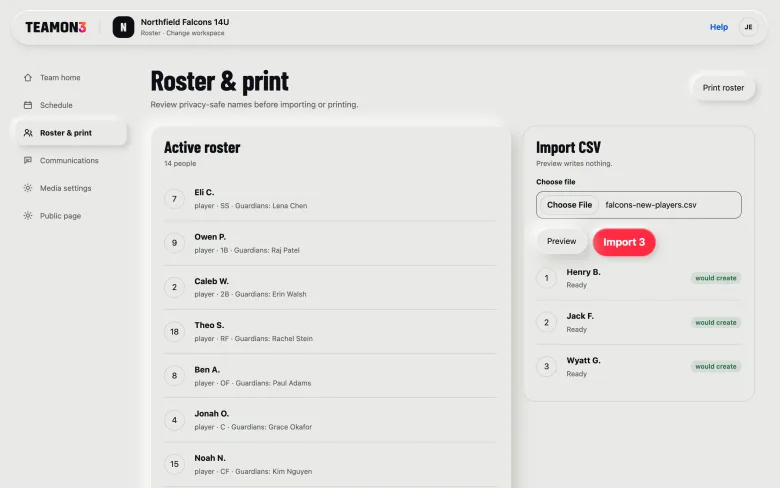
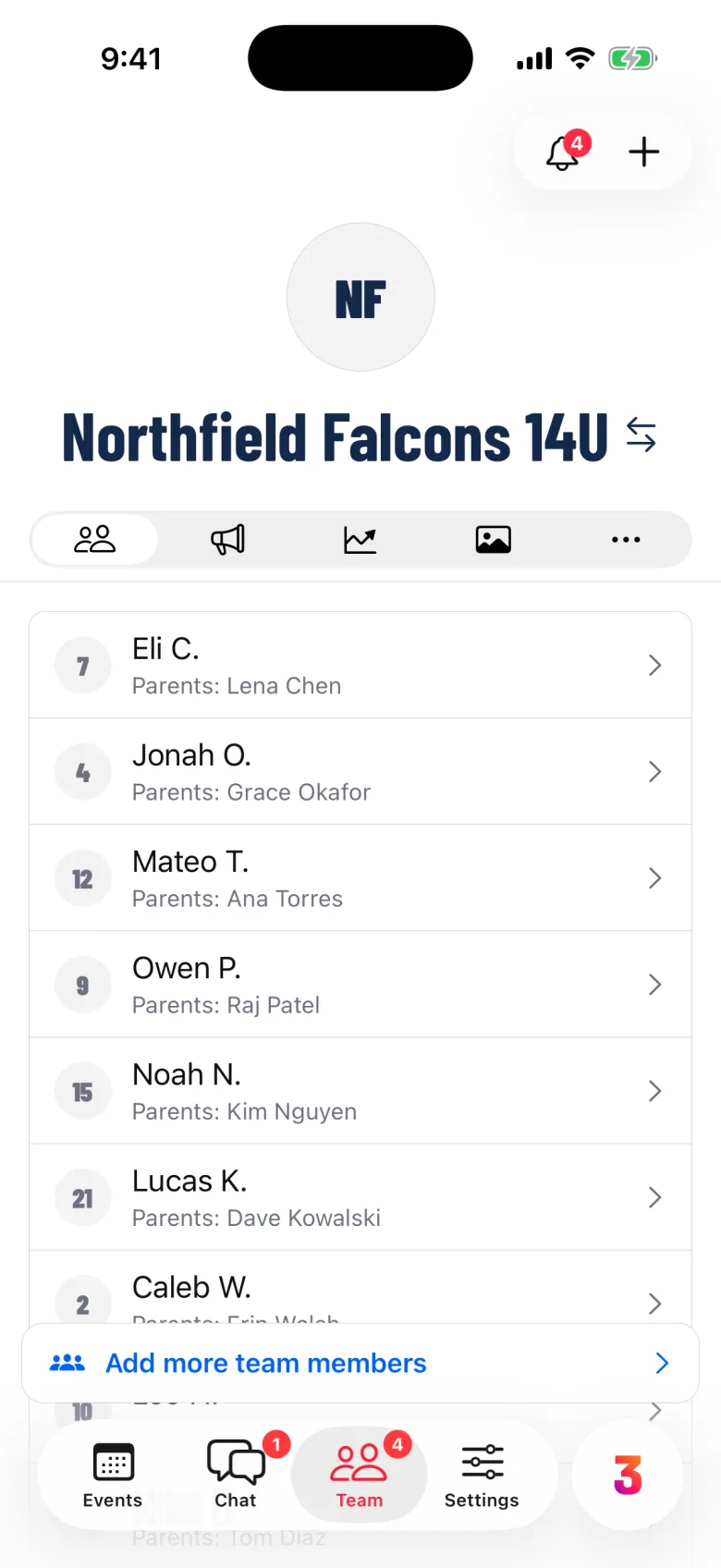
Every player and their adults in Team > People. Invite once, approve who joins.
- Import a CSV, preview it first
- Invite by link or team code
- Roles, groups, seasons and grants
Game day.
Type the final score on any plan. Team adds play-by-play scoring and game video.
Ask Trinity.
Ask about your team. Trinity prepares a change, and nothing happens until you confirm.
Free, or the Team plan.
One plan covers every member. Players under 18 never need an account.
Free
$0
One team, up to 30 adult accounts
- Events and Going / Can’t
- Team Chat and groups
- Team fees and payments
- The roster and roles
Team
$149
Season Pass, six months. Or $249 a year.
- Everything in Free
- Volunteer tasks
- Live scoring and game video
- Trinity
One-time passes. No auto-renew. Compare the plans
Start in three steps.
-
Create your account
Adults only. Email and date of birth.
-
Create the team
Add players by name or spreadsheet.
-
Share the invite code
Parents join and link to their player.
Coaches ask.
More on the support page.
Do my players need accounts?
No. Every account holder is an adult. A player under 18 is a roster entry linked to their parents or guardians, who answer, pay and read the team’s channels for them. Those players don’t count toward the 30-account limit.
What does a payment cost a family?
A TEAMON3 fee of 0.5% + $0.20 plus card processing, shown before they pay. The family covers both by default; your team can absorb the TEAMON3 fee. Money goes to the team’s own connected account through Stripe, on the Free plan too.
Can I bring my roster from a spreadsheet?
Yes. Import Roster (CSV) takes first name, last name, jersey, date of birth and a guardian’s email and phone. On the web you see a preview before anything is created.
Can I run the team from a computer?
Partly. The web console covers the schedule, the Going and Can’t summary, attendance, the roster and team updates. Chat, tasks and scoring stay in the phone app. See TEAMON3 on the web.
Does it sync with Google Calendar?
It publishes. Publish Calendar gives you “Add to Apple Calendar”, “Add to Google Calendar” and a subscription link, so changes in TEAMON3 show up there. Edits made in Google Calendar don’t come back into TEAMON3.
Does it work without a signal?
Only the scorebook keeps working offline and catches up later. Events, chat, payments and the roster need a connection, and tell you when something didn’t go through.
Bring your team in early.
Lock in $99 for your first Season Pass.