

Where to be. What’s due.
Your player’s events, the team’s messages and team fees in one place. You hold the account. Your child is on the roster.

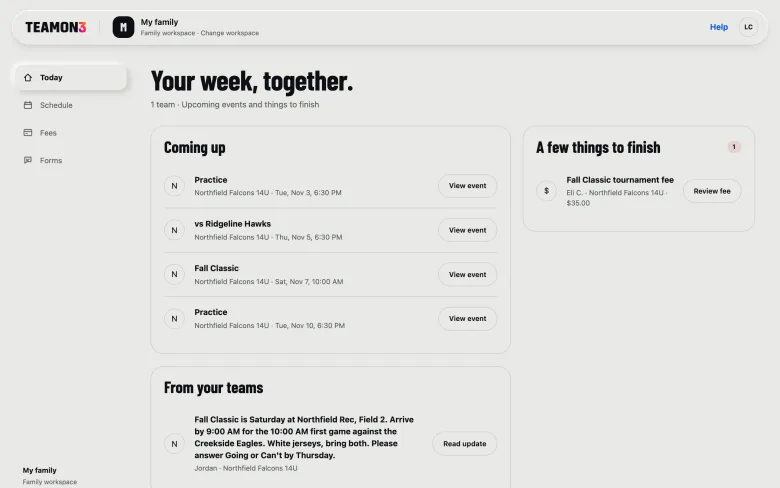
A sample team, the Falcons 14U, and a sample player, Eli.
What’s on this weekend?
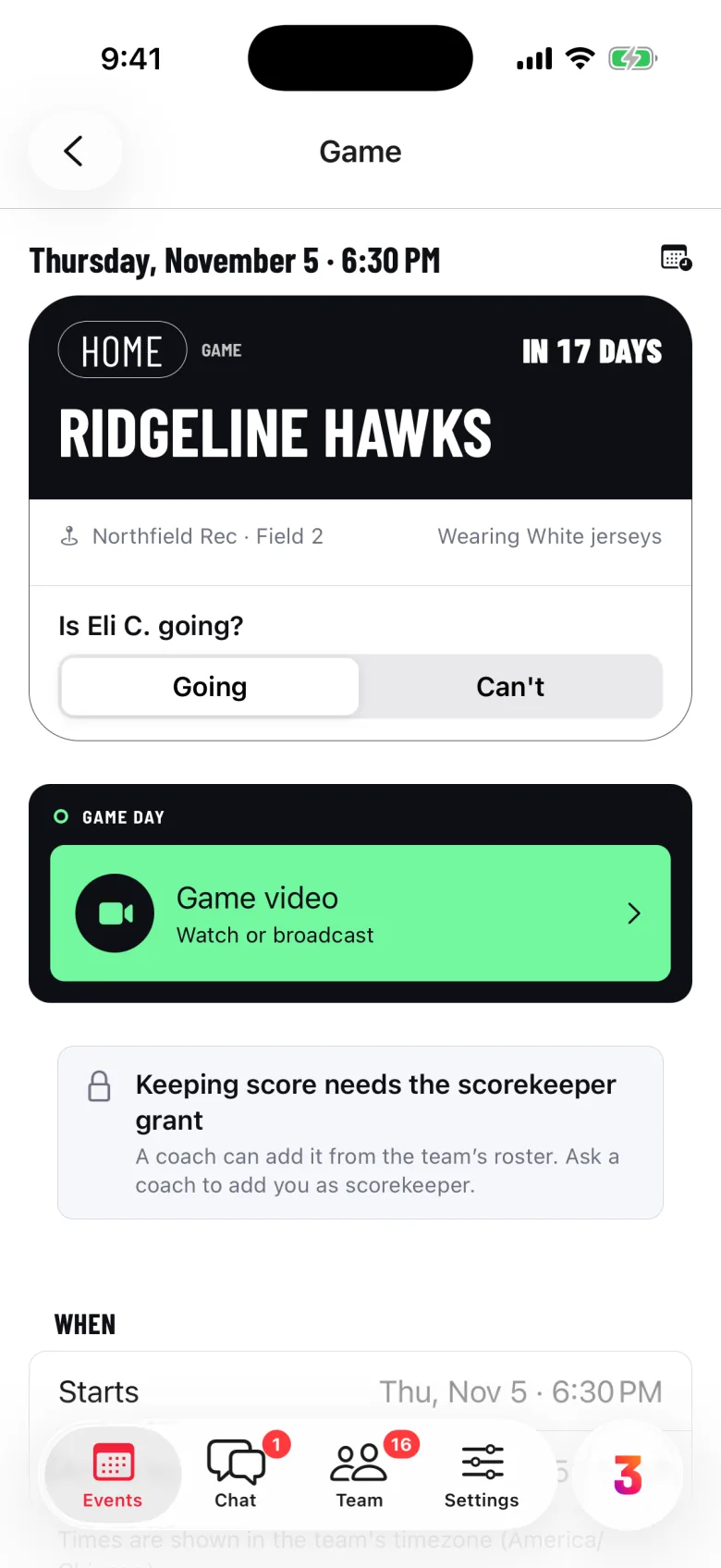
Open an event for the time, the field and what to wear. Answer for Eli in one tap.
- Going or Can’t, for each player
- The forecast and directions
- Add it to your calendar
Every cent, before you pay.
Pay Now shows the whole charge, line by line, before anything is paid.
- Card or bank transfer
- Payment plans for big fees
- Receipts in My Fees, or pay on the web
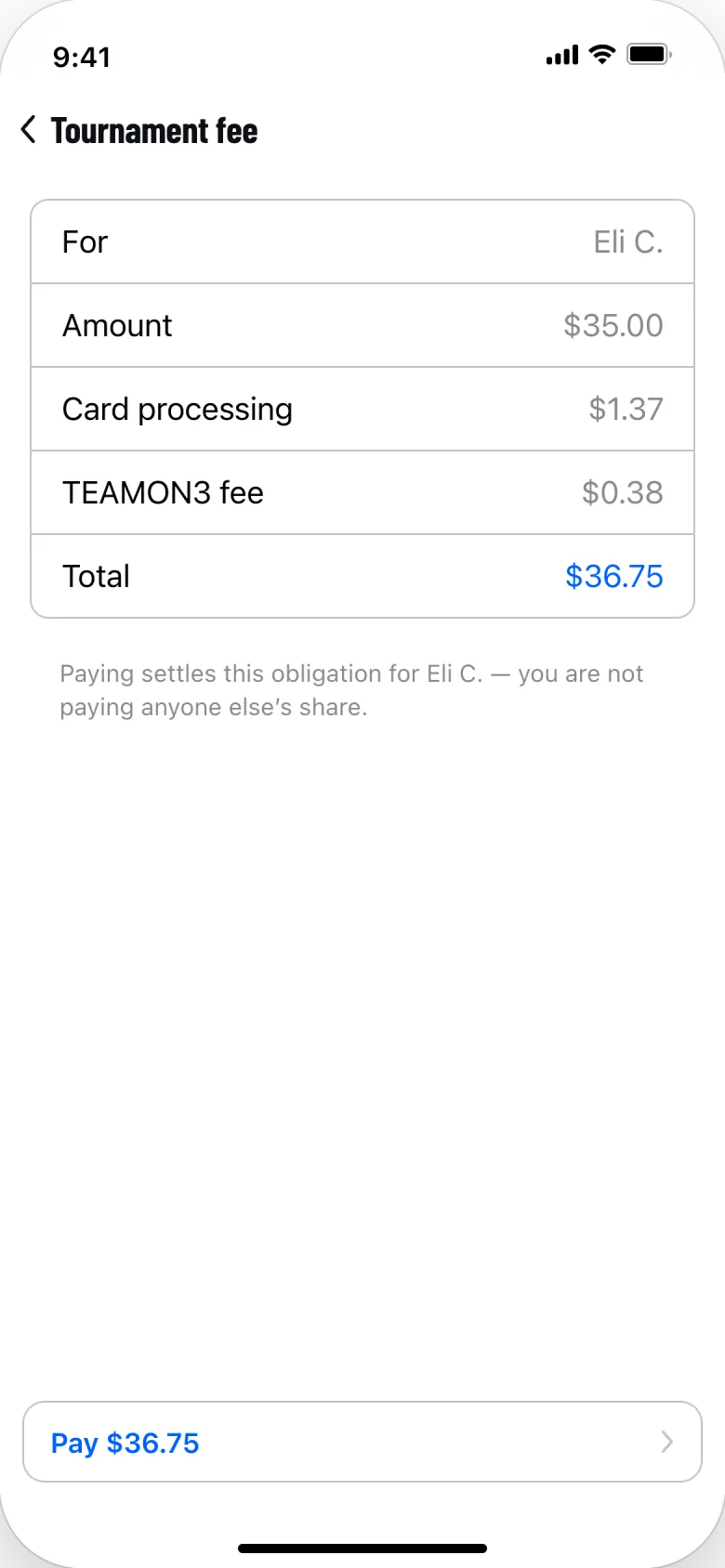
Before you pay
- Tournament fee
- $35.00
- Card processing
- $1.37
- TEAMON3 fee, 0.5% + $0.20
- $0.38
- Total
- $36.75
Some teams cover the TEAMON3 fee for you.
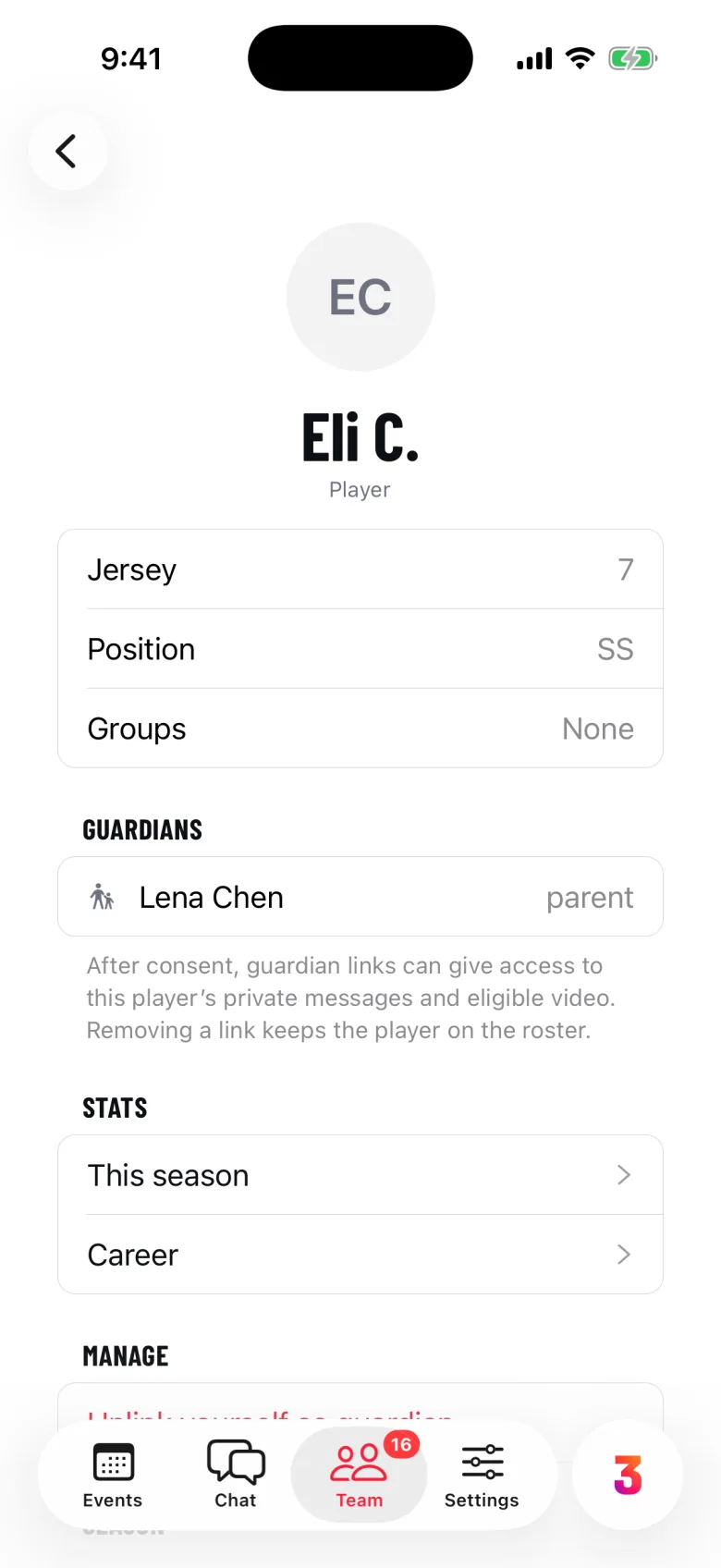
Linked to your player.
Your child is a roster entry, not an account. Your guardian link lets you answer, pay and read their channels.
- Ask to be linked when you join
- Consent with your legal name
- Staff approve. Unlink any time.
Hear what matters.
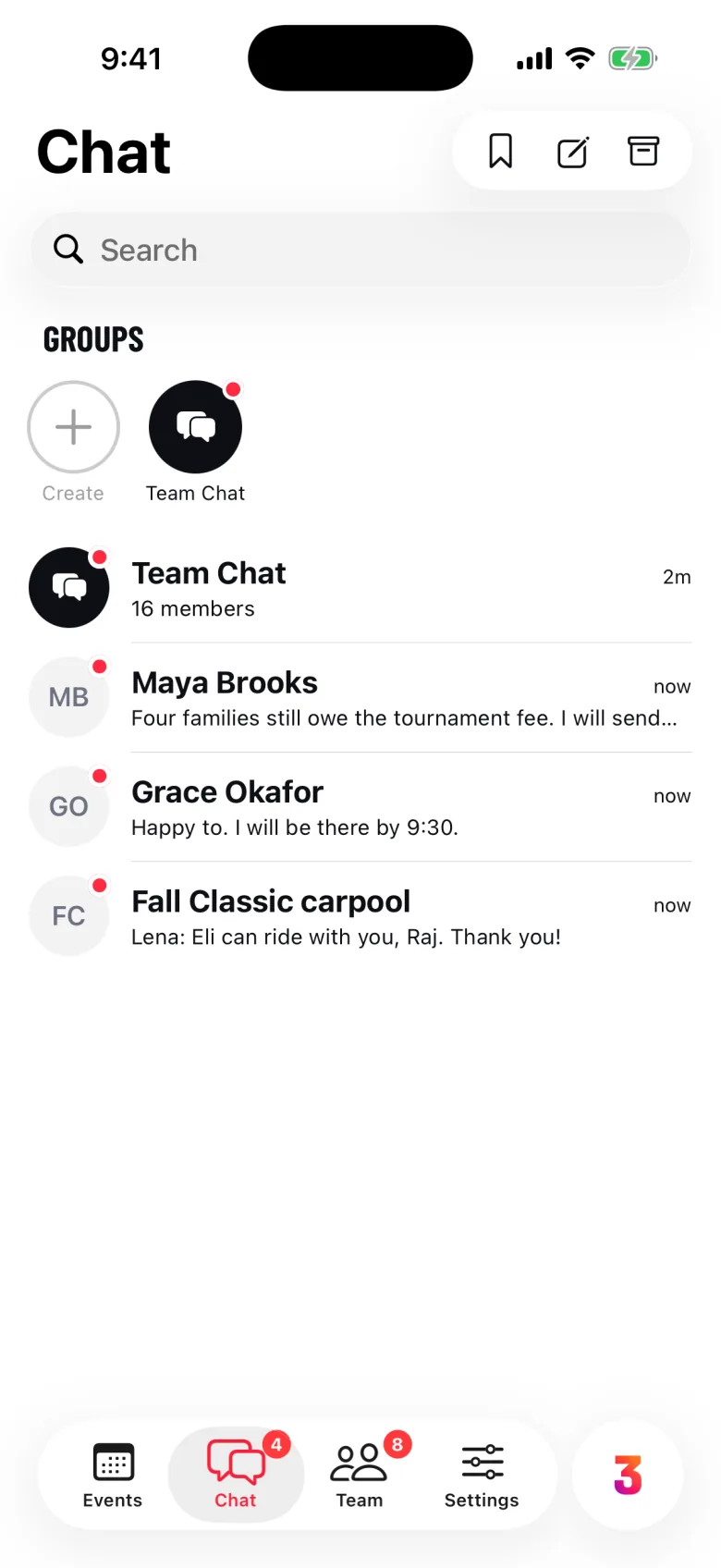
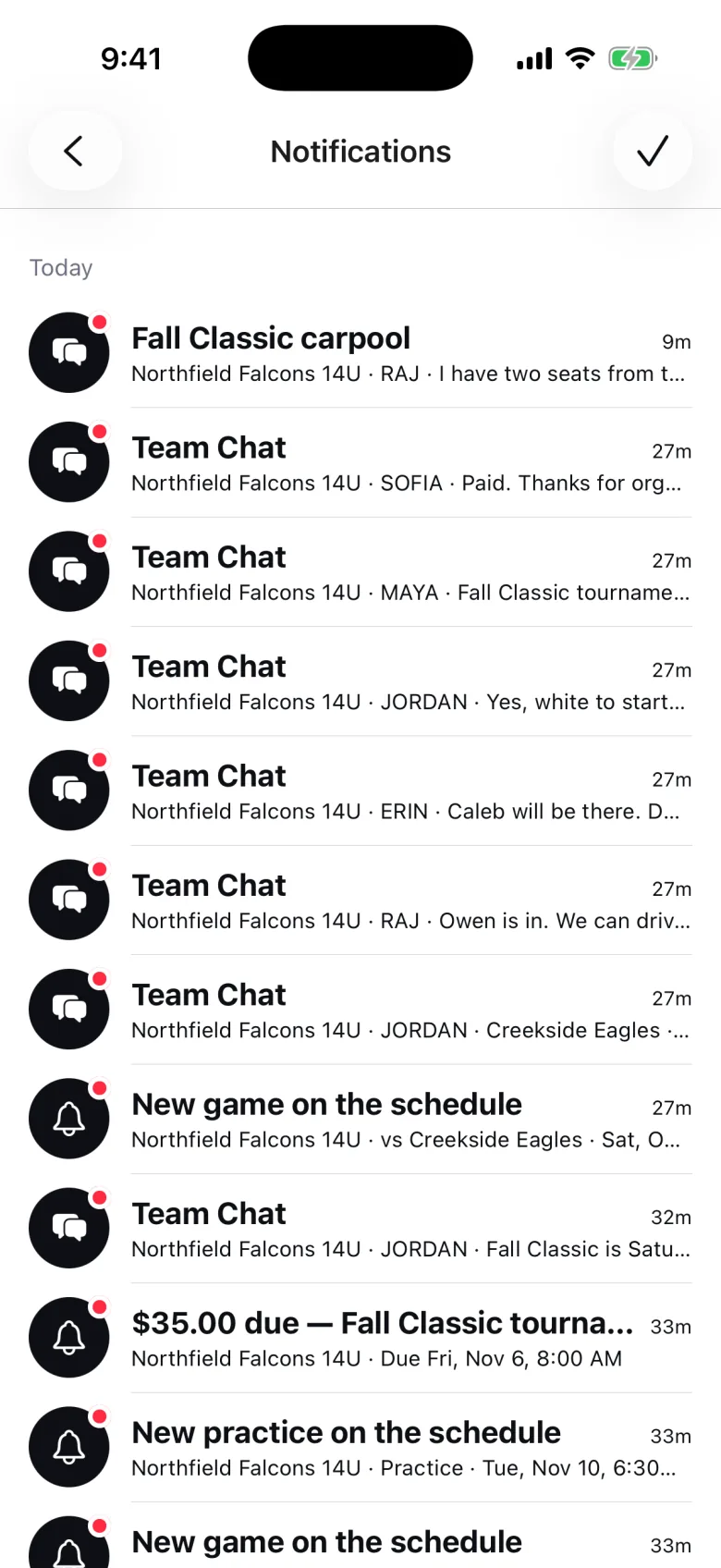
Team Chat carries the coach’s updates. Notifications follow your settings, with quiet hours at night.
- Choose each kind of notification
- Safety notices always reach you
- Text alerts stay off until you opt in
Watch the game.
Teams stream games from a phone camera to members, fans and family. Grandparents can join as fans.
What it costs you.
Nothing to join. Pay only the fees your team asks for. Individual and Family plans are optional, bought in the app.
Four privacy promises.
Each links to the exact words in our privacy policy.
-
No accounts under 18.
Your child is on the roster. You hold the account.
-
You can read your player’s team channels.
Your guardian link shows you their team and group channels.
-
Photo locations stay private.
Location data is removed before anyone else sees a photo.
-
No ads. Your data isn’t for sale.
We run no advertising and sell no personal information.
Parents ask.
More on the support page.
What do I need to use TEAMON3?
An invitation from your team, as a link or a team code from the coach. You create an adult account, join the team and link yourself to your player. If your team isn’t on TEAMON3, your coach can join the Early Team list.
Does my child need an account?
No. Every account holder is an adult. A player under 18 is a roster entry linked to you, and you answer, pay and read the team’s channels for them. There is nothing for them to install.
What does the coach see about me?
Staff see the roster, including the guardians linked to each player, and your Going or Can’t answers. Owners, admins and the team’s treasurer see who has paid each fee. A channel’s members see what you post there.
I have two kids on two teams. Is that one account?
Yes. One account can belong to several teams; switch between them from the Team tab. You link yourself to each child on their own team. On the web, My family shows the week across your teams and children.
How do I leave a team?
Leave Team is under Team > More. To stop being linked to a player, use “Unlink yourself as guardian” on their page. Deleting your whole account is in Settings.
Will TEAMON3 text me?
Only if you ask. Text alerts for cancellations and overdue payments are optional and off until you turn them on in Settings. Team invitations come from your coach’s own phone, not from TEAMON3. See the text alert disclosure.
Want TEAMON3 for your team?
Parents join through their team. Ask your coach to join the Early Team list.